
Reporting App Errors
Reporting an Issue - Standard Recommendation
For almost any issue that you encounter in the mobile app, we recommend using our "Feedback" option. This passes along the relevant information that we need automatically - you can skip all the "Manual" steps listed below, and simply do the following:
- Open the Regrid app
- Tap the menu button (top left)
- Tap "Help"
- Tap "Feedback"
- Enter your feedback into the box, select "Yes" if you'd like our team to respond to you directly, and submit!
Rare Cases - Manually Submitting Device Info
In some cases (for example, if the app is repeatedly crashing on login, or you otherwise are unable to navigate to the feedback form) we may ask you to manually pass along some information about yourself and your device so that we can troubleshoot.
- The email you use to login to the Regrid App We use this to be able to inspect our logs and track down more info about your issue.
- The exact Date + Time the error last occurred. This also helps us find you in our logs. If you don't know the last date and time, but are able trigger the error again, you can retrigger the error and send us that date and time.
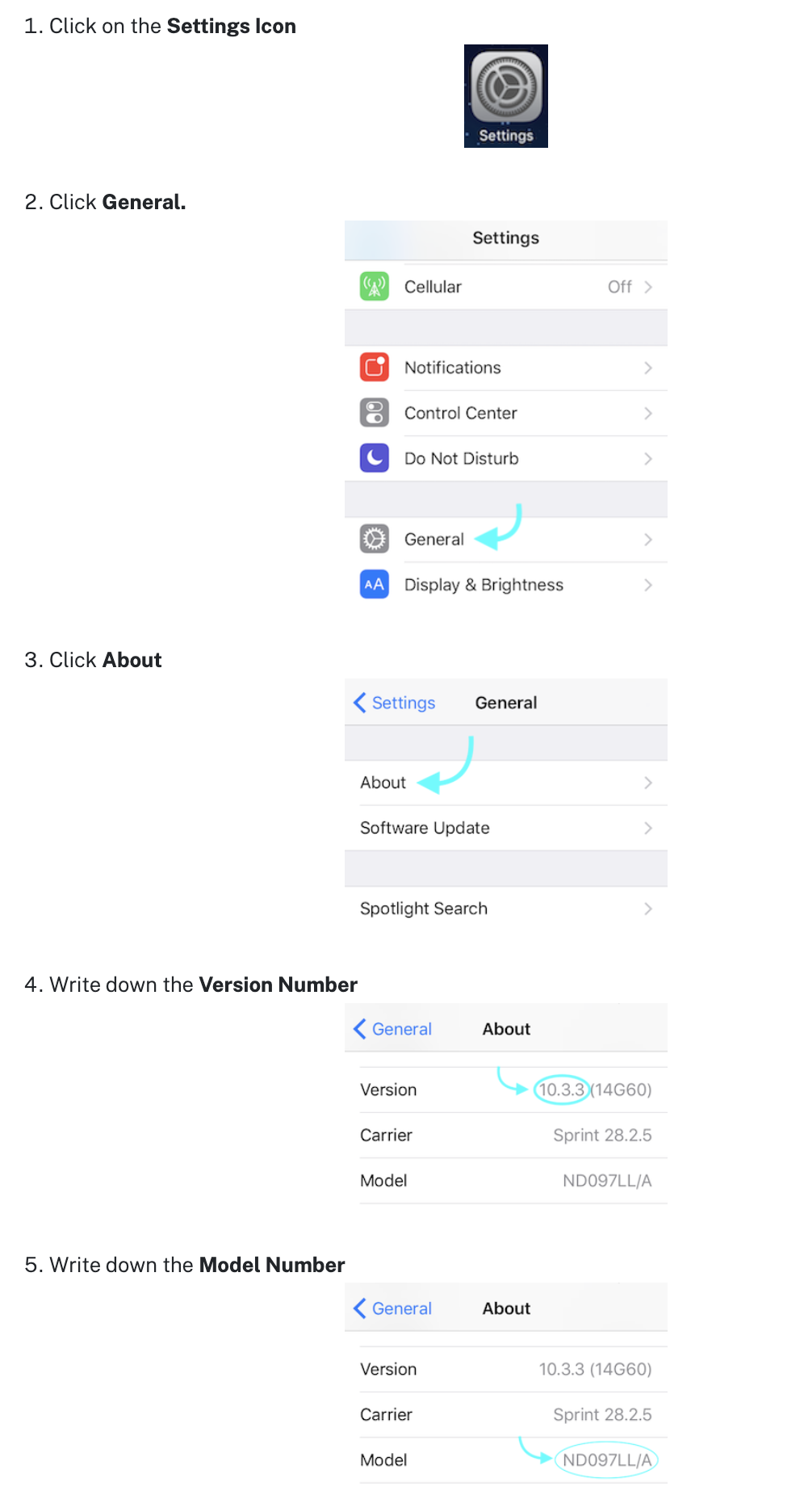
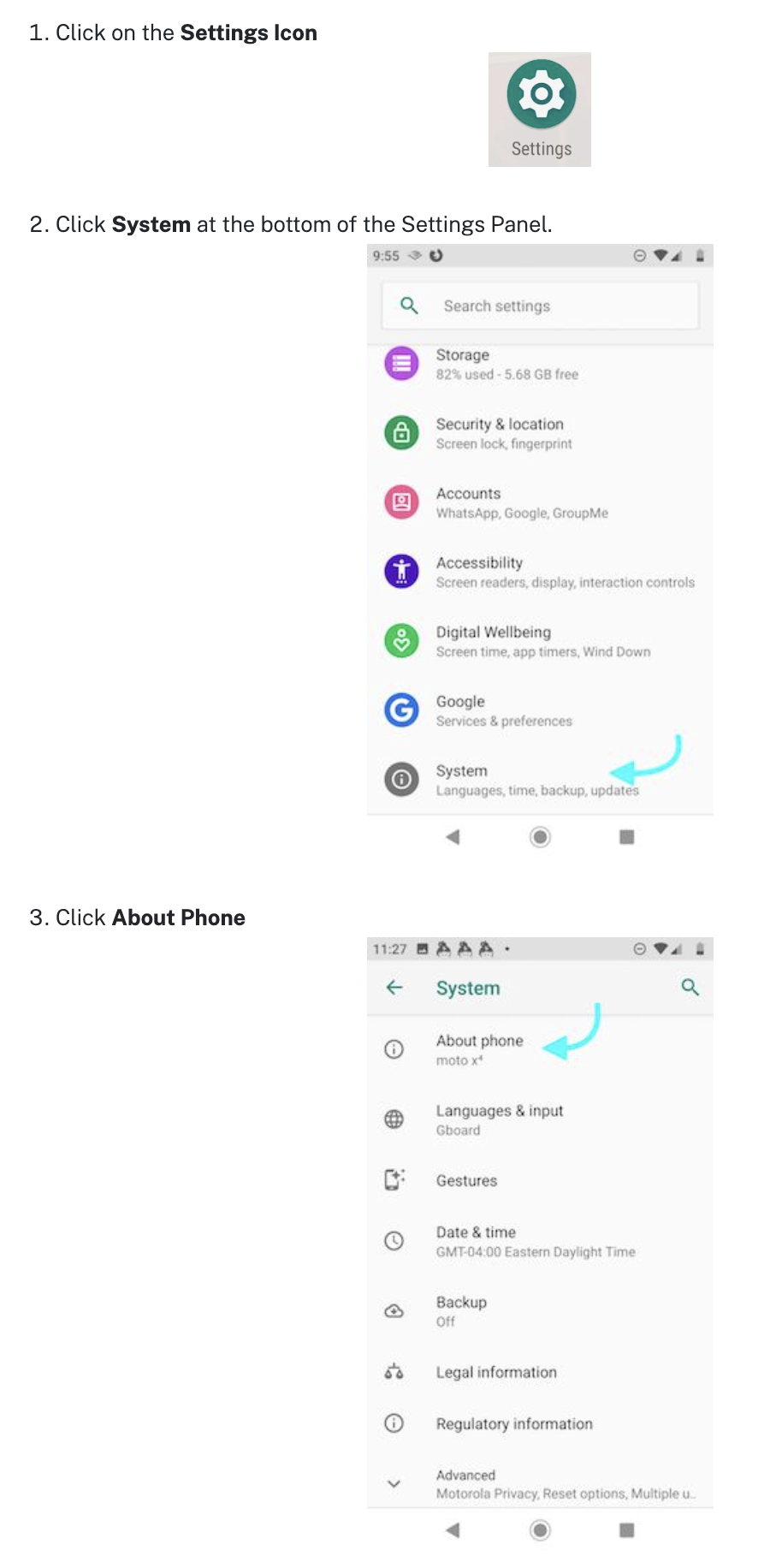
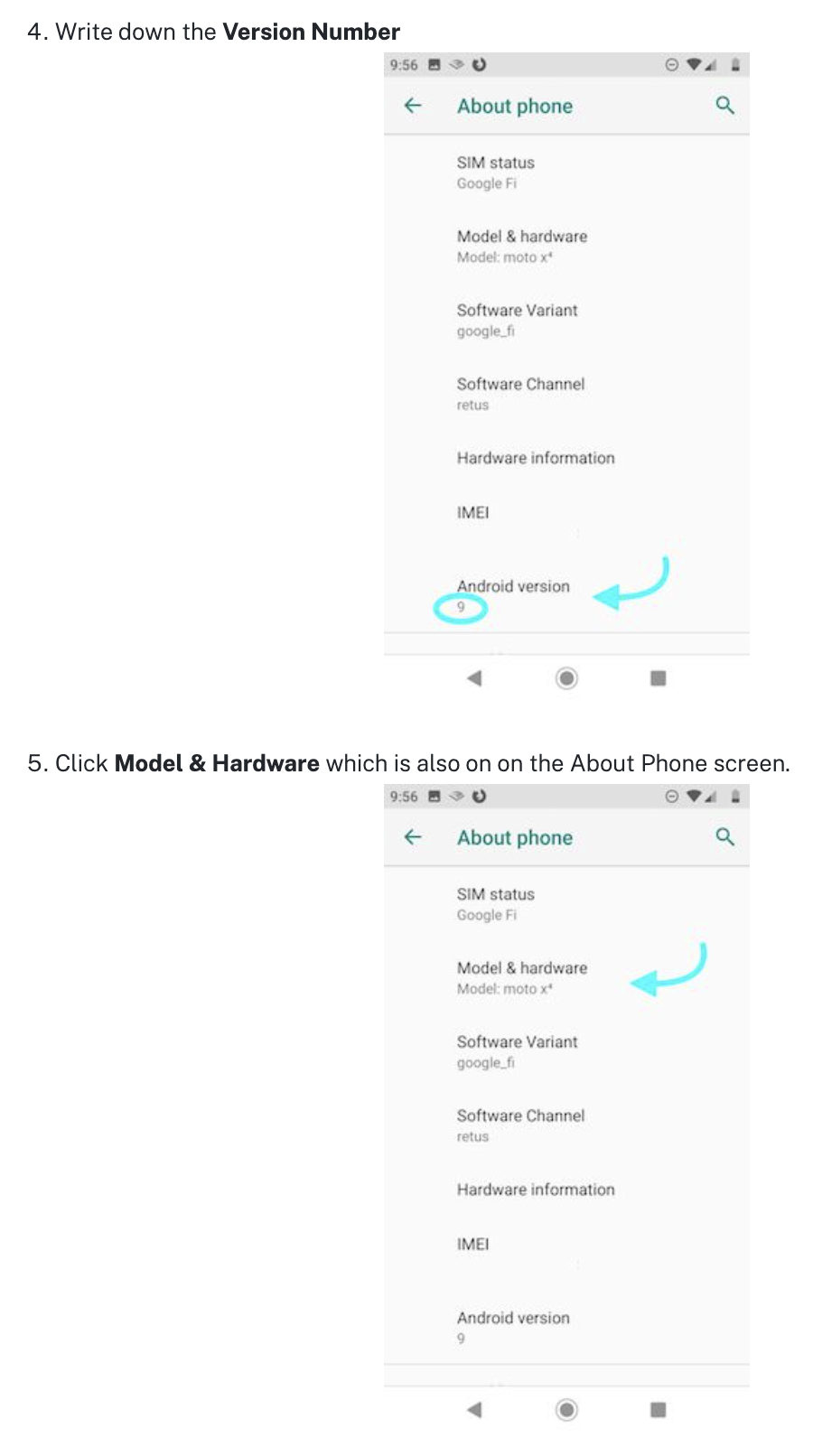
Example: 7/22 4:52pm - iPhone/Android Version Number
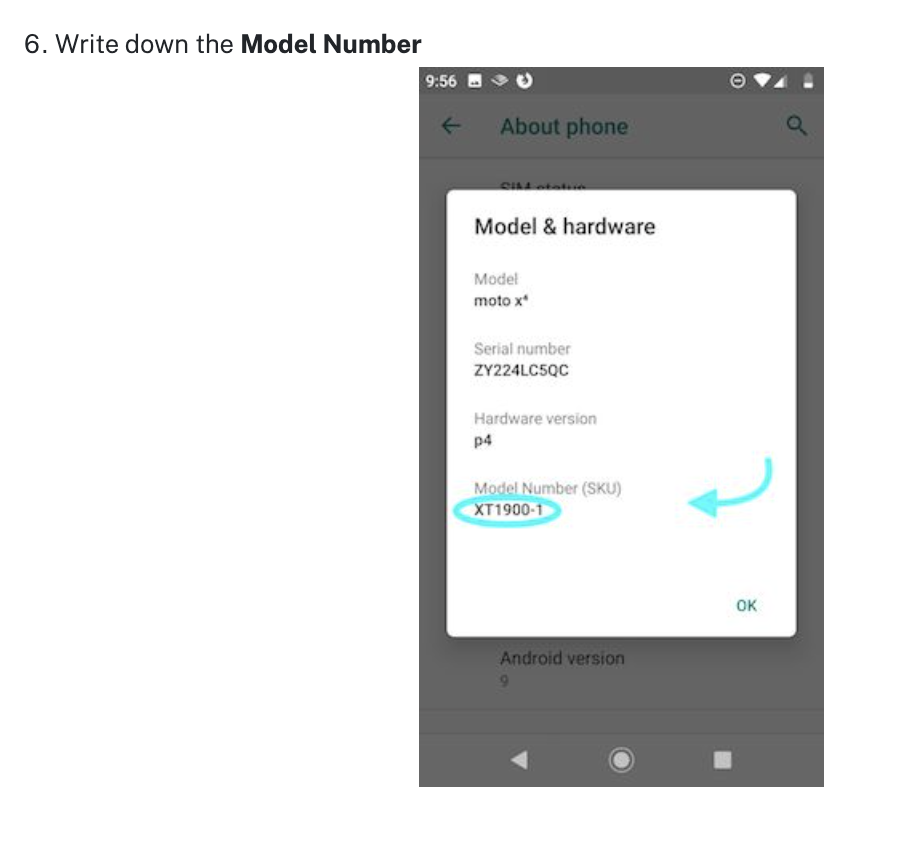
Examples: Android 9, iOS 12.1 - Model Number
Examples: XT1900-1, A1901 - Regrid App Version Number
Example: 1.14
Send your bug report to: [email protected]
Please Note That:
- The Model Number will never change, so you'll only need to get it once if you can associate it with a single Surveyor or device.
- The iPhone Version will change occasionally.
- The Date+Time and Regrid Version Number is needed for every bug.
Finding iOS Version + Model Number
Finding Android Version + Model Number
Updated 5 months ago
Did this page help you?